



Catch Overruns Early
See when a job is running over estimate on labour or resources before it hits your margin.

Manufacturing Project Management
CrewPulse tracks attendance, job time, equipment, expenses and documents from kiosk stations and mobile — so you can quote accurately and spot overruns before a job closes.
Trusted by manufacturers like






AI integration
Use the AI assistant you already pay for. Connect it to CrewPulse once, then ask in plain language: it answers from your live data and does the admin for you. No extra AI subscription needed.
Answers from live data
Projects, crews, hours, resources, expenses and documents.
Does the admin
Log or correct time, set up projects, review expenses.
Stays within your role
It sees only what you can, and every change is recorded under your name.
Works with your AI assistant once it’s connected. How it works →
Sparks flying as a worker grinds metal on the shop floor
Why CrewPulse
CrewPulse is designed for small to medium manufacturing businesses who need precise control over project costs and resource allocation.
See when a job is running over estimate on labour or resources before it hits your margin.
Use historical job data to improve estimates on the next quote.
Workers clock in at a kiosk; supervisors get reports without chasing timesheets.
The platform
Track normal time and overtime against each job and work order, shift by shift.
Face recognition or QR at a shop-floor kiosk, or geo-fenced clock-in on the Track app.
See which vehicles and machines are on which job, and who used them.
Compare estimated vs actual labour, resource and expense cost per project.
Crews log purchases on site with a receipt photo. Only approved spend counts towards the job cost.
File licences and certificates against people, machines and sites, with reminders before they expire.
Set a unit target on a job and see the units done in each activity against it.
Ask about projects, crews and hours in plain language, using the AI assistant you already have.
hours×labour rate+resources+approved expenses = real job cost
In production
Real deployments on production floors — supervisors with live job visibility, workers clocking labour where the work happens.
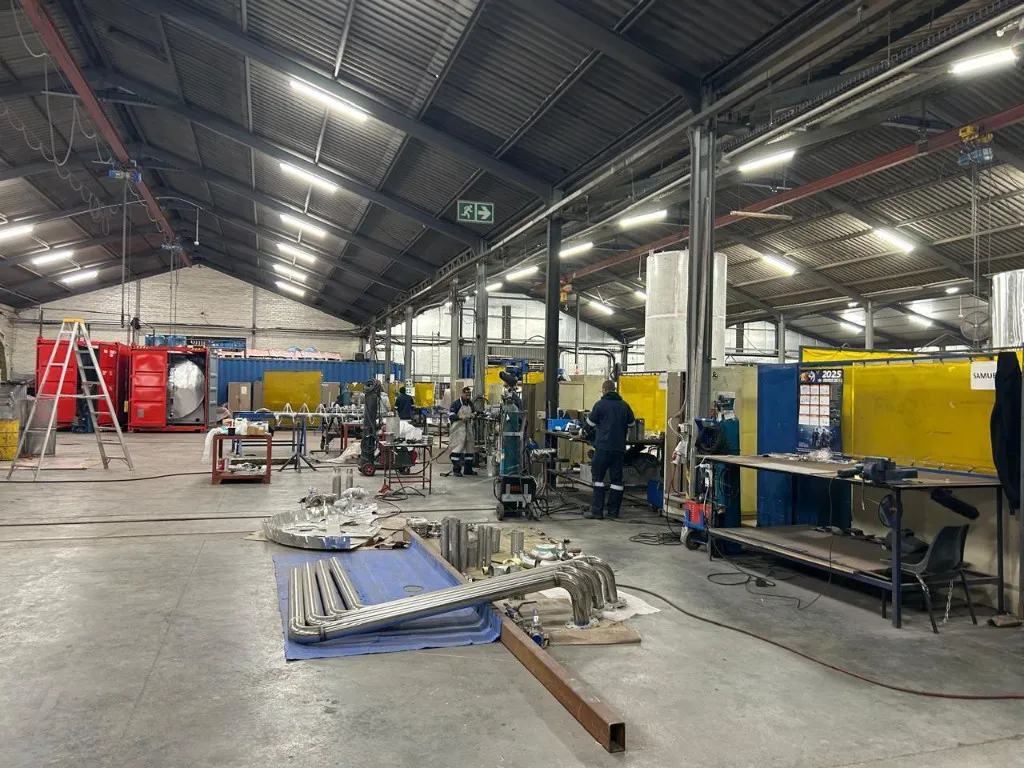
Built for busy job shops
Fabrication, pipe work, assembly — CrewPulse runs where labour hours actually happen.
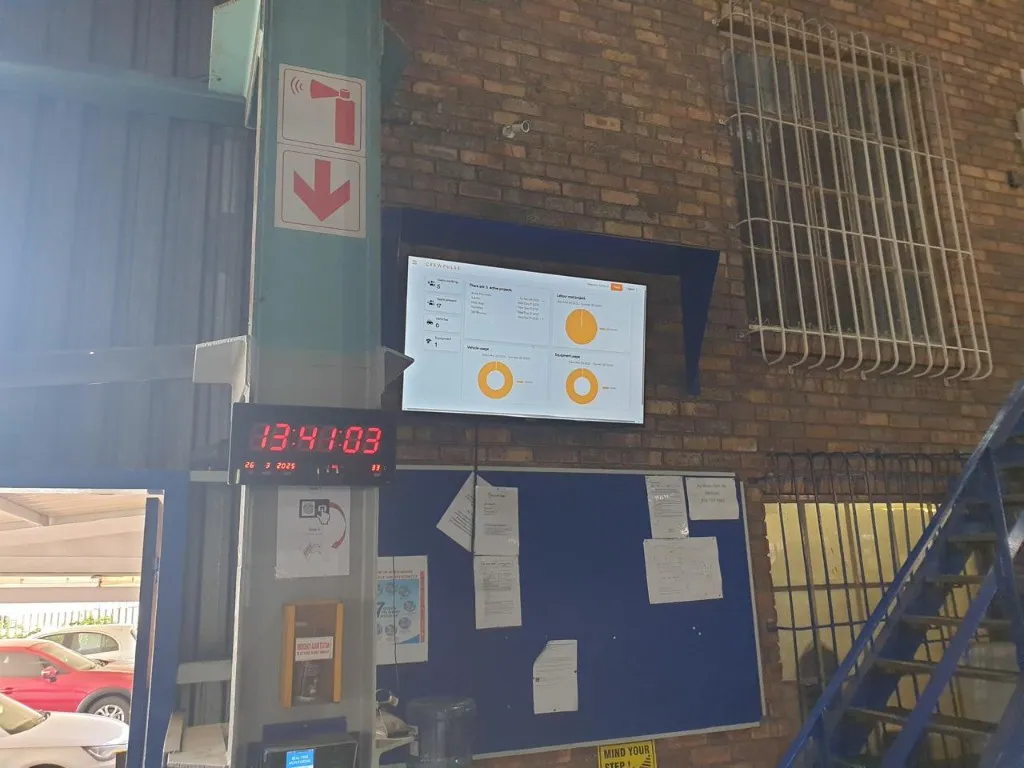
Live visibility on the floor
Supervisors see labour, vehicles, and equipment on a wall display — not buried in a back-office report.
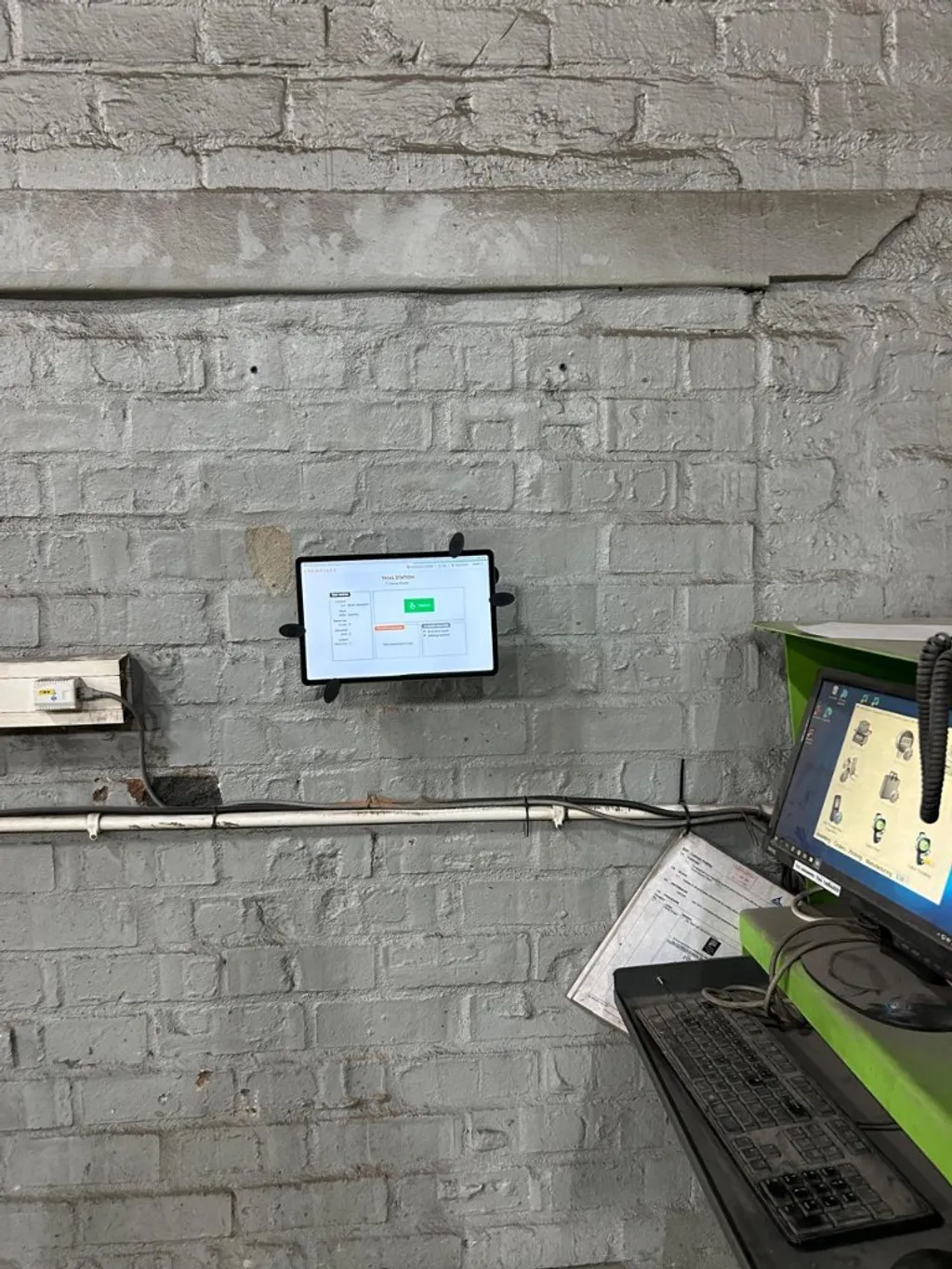
Check-in at the point of work
Final assembly, dispatch, site gate — workers clock onto the job in front of them.
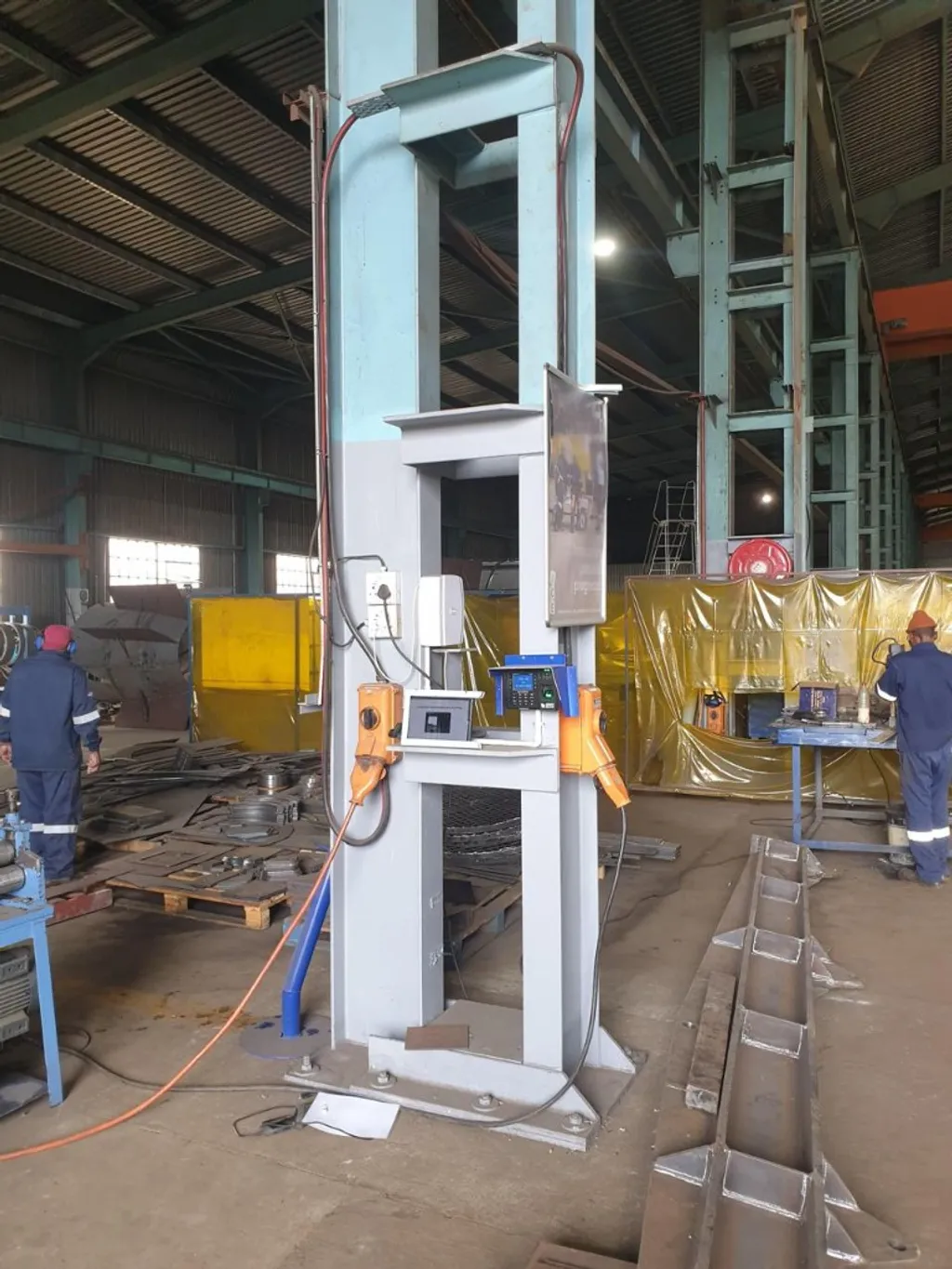
Clock-on without a personal device
One shared kiosk at the workshop entrance; everyone logs time against the right job.
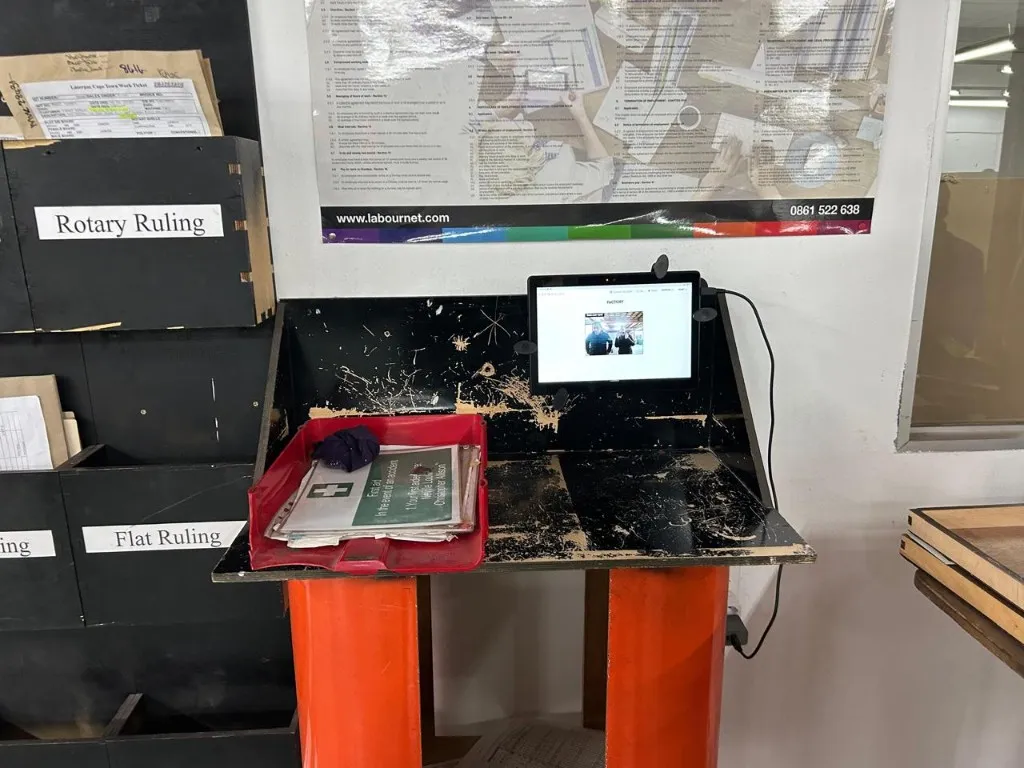
Works with your existing layout
A tablet at the bench or desk workers already use — accurate job time without changing the routine.
An engineer from our team will walk you through CrewPulse features at no cost. We look forward to the demo.

Make CrewPulse better (with cookies)
We’d like to use cookies for analytics (to see what’s helpful and fix what’s confusing) and advertising (to measure our Google Ads and demo bookings). You can change your mind anytime.